Build Flappy Bird Game AI Prompt
Build a complete mobile-friendly Flappy Bird-style HTML5 game using AI prompt.
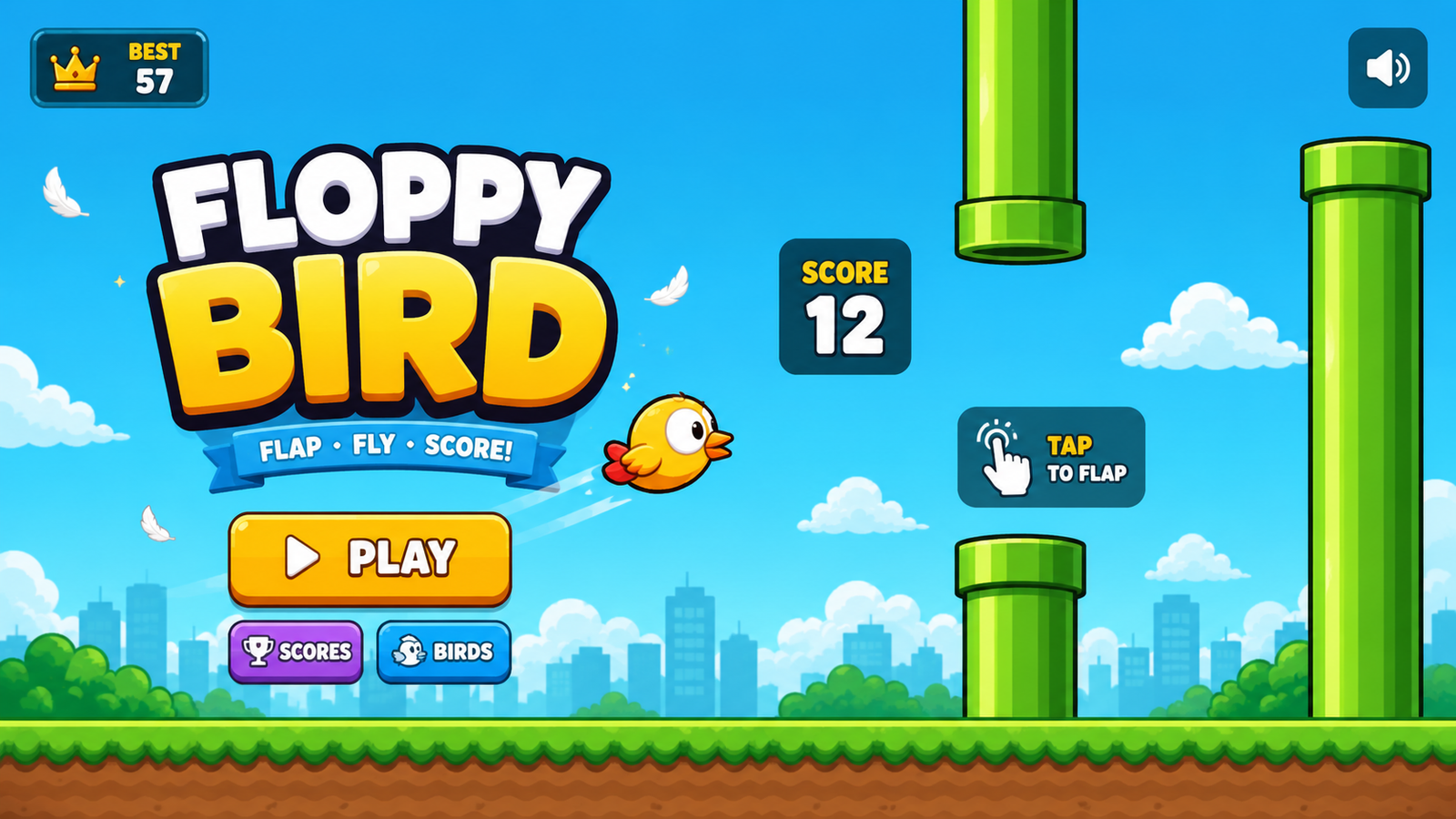
Details & Features
🚀 Build a Complete Flappy Bird-Style HTML5 Game With AI
Want to create a polished browser game using AI, HTML, CSS and JavaScript?
This detailed AI coding prompt is designed to help you generate a complete, playable Flappy Bird-style 2D game using HTML5 Canvas and vanilla JavaScript — without React, Phaser, Unity, external libraries or a backend.
🎮 What's Included
✅ Smooth and balanced bird physics
✅ Gravity and flap mechanics
✅ Maximum fall-speed control
✅ Procedurally generated obstacles
✅ Beginner-friendly obstacle gaps
✅ Progressive difficulty
✅ Score and best-score system
✅ LocalStorage high-score saving
✅ Responsive mobile controls
✅ Touch, mouse and keyboard support
✅ Start screen
✅ Game-over screen
✅ Restart functionality
✅ Pause/resume system
✅ Original Canvas-based graphics
✅ Bird animation and rotation
✅ Particle effects
✅ Screen-shake effect
✅ Web Audio API sound effects
✅ Sound on/off control
✅ Responsive mobile and desktop Canvas
✅ 60 FPS optimized game loop
✅ Mobile-friendly design
✅ No external assets required
💻 Technologies
The prompt is specifically designed for:
HTML5
CSS3
Vanilla JavaScript
HTML5 Canvas
Web Audio API
LocalStorage
🤖 Perfect For AI Coding Tools
Use this prompt with compatible AI coding assistants to generate and improve your game project.
It is especially useful for developers, students, indie game creators, AI enthusiasts and anyone who wants to experiment with AI-powered game development.
📱 Mobile Ready
The generated game is designed with mobile gameplay in mind, including:
Touch controls
Responsive Canvas
Prevented page scrolling
Smooth gameplay
Mobile-friendly UI
Android/iPhone browser compatibility
🔥 Why This Prompt Is Different
Instead of simply asking AI to "make a Flappy Bird game," this prompt gives AI detailed instructions for gameplay physics, difficulty balancing, responsive controls, UI, animations, sound, performance and bug prevention.
Most importantly, it specifically focuses on preventing the common problem of unplayable physics where the bird falls too quickly or obstacles move too fast.
📦 What You Get
A ready-to-use AI coding prompt designed to generate:
index.html
style.css
script.js
The generated project is intended to run directly in a modern web browser.
🎯 Great For
AI Game Development
HTML5 Game Development
JavaScript Game Development
Browser Games
Mobile Web Games
Coding Projects
Game Development Tutorials
AI Coding Experiments
Indie Game Prototypes
Learning JavaScript Canvas
Note: This prompt creates an original Flappy Bird-style game concept. It does not request copyrighted Flappy Bird assets, branding, sounds or source code.
Customer Reviews
No reviews yet. Be the first to share your thoughts!
The Genius Prompt
Create a complete, polished, highly playable **Flappy Bird-style mobile browser game** using only **HTML, CSS, and vanilla JavaScript**.

The game must be built with **HTML5 Canvas** and must work immediately by opening `index.html`.

## 1. GAMEPLAY

Create an original arcade game inspired by the classic bird-and-pipes gameplay, but **do not copy Flappy Bird's copyrighted graphics, sounds, branding, or assets**.

The player controls a cute original bird.

Controls:

* Tap anywhere on the game screen → bird flaps upward.
* Mouse click → flap.
* Spacebar → flap.
* Enter → start/restart when appropriate.

The objective is to fly through obstacle gaps and achieve the highest score possible.

## 2. MOST IMPORTANT — PLAYABLE PHYSICS

The current priority is **fun, smooth and fair gameplay**.

Do NOT make the bird fall too quickly.

Use carefully balanced physics:

* Gravity: approximately `0.20–0.28`
* Flap strength: approximately `-5.0 to -6.0`
* Maximum downward velocity: approximately `5.5–6.5`
* Pipe speed initially: approximately `1.8–2.2 px/frame`
* Gradually increase difficulty instead of starting fast.
* Use smooth acceleration.
* Clamp maximum fall speed.
* The bird should have a comfortable amount of airtime after each flap.
* A tap should produce a noticeable but controlled upward movement.
* The bird should follow a smooth arc.
* Never allow the bird to suddenly drop extremely fast.

**IMPORTANT:** These values are starting points. Tune them according to the actual Canvas dimensions and gameplay testing. The final result must feel natural rather than simply following the numbers blindly.

### Gameplay Feel

The game should be:

* Easy to learn
* Responsive
* Smooth
* Challenging but fair
* Suitable for casual mobile players
* Possible for a new player to pass several pipes on their first attempt

The player must have enough reaction time to see upcoming obstacles and decide when to flap.

## 3. PIPE / OBSTACLE DESIGN

Generate pairs of obstacles procedurally.

Requirements:

* Random vertical positions.
* Comfortable gap between the upper and lower obstacles.
* Starting gap around `180–220px`, adjusted based on Canvas size.
* Never generate impossible gaps.
* Maintain enough horizontal distance between pipe pairs.
* The next obstacle must be visible early enough for the player to react.

Difficulty progression:

**Score 0–5**

* Very slow obstacles
* Large gaps
* Beginner-friendly

**Score 6–15**

* Slightly faster

**Score 16–30**

* Moderate difficulty

**Score 31+**

* Gradually increase speed and/or reduce gap

Difficulty must increase smoothly.

Do NOT suddenly make the game extremely difficult.

## 4. RESPONSIVE MOBILE CANVAS

The game must work properly on:

* Android phones
* iPhones
* Tablets
* Desktop browsers

Use responsive Canvas scaling.

The gameplay physics should be adjusted relative to the actual game resolution so that the game does not become too easy or too difficult on different screen sizes.

Maintain the correct aspect ratio.

Do not stretch the game incorrectly.

Prevent browser scrolling while the player is touching the game.

## 5. GAME STATES

Implement these states:

### Start Screen

Show:

* Game title
* Cute animated bird
* "TAP TO START" button/instruction
* Best score

### Playing

Show:

* Current score at the top
* Animated bird
* Moving obstacles
* Background
* Ground
* Particles

### Game Over

Show a polished game-over panel containing:

* "GAME OVER"
* Current score
* Best score
* Restart button
* Optional "Tap to Play Again"

The restart must completely reset the gameplay correctly.

## 6. SCORING

Increase the score when the bird successfully passes an obstacle pair.

Display the score clearly.

Save the highest score using:

`localStorage`

The best score must remain after:

* Game restart
* Page refresh
* Closing and reopening the browser

## 7. BIRD ANIMATION

Create an original cute bird using Canvas drawing or CSS/Canvas shapes.

Do not use external copyrighted assets.

Add:

* Wing animation
* Smooth rotation based on vertical velocity
* Slight idle animation on start screen
* Small flap particle effect

The rotation should be subtle and smooth.

## 8. VISUAL DESIGN

Make the game look like a polished mobile arcade game rather than a basic programming demo.

Use:

* Beautiful sky background
* Soft clouds
* Original obstacle design
* Detailed ground
* Smooth animations
* Subtle particles
* Clean typography
* Polished buttons
* Rounded UI panels
* Small screen effects

Keep the visuals lightweight so they perform well on low-end Android phones.

## 9. SOUND

Use the **Web Audio API** so no external audio files are required.

Create simple original sounds for:

* Flap
* Score
* Button click
* Game over

Add a sound on/off button.

Do not use copyrighted music or sound effects.

## 10. GAME OVER EFFECT

When the bird hits an obstacle:

* Stop gameplay.
* Play a short collision sound.
* Add a subtle screen shake.
* Show the game-over panel smoothly.
* Save the new best score if applicable.

Do not make the screen shake excessive.

## 11. PAUSE

Add a pause button during gameplay.

When paused:

* Stop physics.
* Stop obstacle movement.
* Stop score updates.
* Display a simple pause overlay.

Allow the player to resume.

## 12. PERFORMANCE

Use:

`requestAnimationFrame()`

for the main game loop.

Optimize the game for mobile.

Avoid unnecessary DOM updates during gameplay.

Use Canvas efficiently.

The target is smooth **60 FPS** on modern phones.

## 13. CODE STRUCTURE

Create exactly these files:

`index.html`

`style.css`

`script.js`

Do not use:

* React
* Phaser
* Three.js
* Unity
* npm
* external libraries
* backend
* external game engines

Everything must run locally in the browser.

## 14. IMPORTANT BUG PREVENTION

Before giving the final code, carefully check:

* Bird does not fall too quickly.
* Bird cannot exceed maximum fall speed.
* Flap input is responsive.
* Multiple taps work correctly.
* Touch works on mobile.
* Spacebar works.
* Mouse works.
* Collision detection is accurate.
* Pipes never generate impossible gaps.
* Score increases only once per pipe pair.
* Restart properly resets everything.
* Pause/resume works correctly.
* Best score is saved correctly.
* No duplicate event listeners.
* No memory leaks.
* No page scrolling during gameplay.
* Canvas scales correctly on different screen sizes.
* Game remains playable on small mobile screens.

## 15. FINAL QUALITY REQUIREMENT

Do NOT provide a rough prototype.

Build a **complete, polished, playable game**.

The most important priority is:

**PLAYABILITY > DIFFICULTY**

The game should feel satisfying and responsive.

Do not make it artificially difficult just to increase challenge.

The player should feel that every death happened because of their timing, not because the physics were too fast or an obstacle was impossible.

After generating the code, review the physics and gameplay balance once more and adjust the values if necessary.

Return the complete contents of:

1. `index.html`
2. `style.css`
3. `script.js`

with no missing sections or placeholder code.
Usage Instructions
Tags
What you get
🚀 Build a Complete Flappy Bird-Style HTML5 Game With AI
Want to create a polished browser game using AI, HTML, CSS and JavaScript?
This detailed AI coding prompt is designed to help you generate a complete, playable Flappy Bird-style 2D game using HTML5 Canvas and vanilla JavaScript — without React, Phaser, Unity, external libraries or a backend.
🎮 What's Included
✅ Smooth and balanced bird physics
✅ Gravity and flap mechanics
✅ Maximum fall-speed control
✅ Procedurally generated obstacles
✅ Beginner-friendly obstacle gaps
✅ Progressive difficulty
✅ Score and best-score system
✅ LocalStorage high-score saving
✅ Responsive mobile controls
✅ Touch, mouse and keyboard support
✅ Start screen
✅ Game-over screen
✅ Restart functionality
✅ Pause/resume system
✅ Original Canvas-based graphics
✅ Bird animation and rotation
✅ Particle effects
✅ Screen-shake effect
✅ Web Audio API sound effects
✅ Sound on/off control
✅ Responsive mobile and desktop Canvas
✅ 60 FPS optimized game loop
✅ Mobile-friendly design
✅ No external assets required
💻 Technologies
The prompt is specifically designed for:
HTML5
CSS3
Vanilla JavaScript
HTML5 Canvas
Web Audio API
LocalStorage
🤖 Perfect For AI Coding Tools
Use this prompt with compatible AI coding assistants to generate and improve your game project.
It is especially useful for developers, students, indie game creators, AI enthusiasts and anyone who wants to experiment with AI-powered game development.
📱 Mobile Ready
The generated game is designed with mobile gameplay in mind, including:
Touch controls
Responsive Canvas
Prevented page scrolling
Smooth gameplay
Mobile-friendly UI
Android/iPhone browser compatibility
🔥 Why This Prompt Is Different
Instead of simply asking AI to "make a Flappy Bird game," this prompt gives AI detailed instructions for gameplay physics, difficulty balancing, responsive controls, UI, animations, sound, performance and bug prevention.
Most importantly, it specifically focuses on preventing the common problem of unplayable physics where the bird falls too quickly or obstacles move too fast.
📦 What You Get
A ready-to-use AI coding prompt designed to generate:
index.html
style.css
script.js
The generated project is intended to run directly in a modern web browser.
🎯 Great For
AI Game Development
HTML5 Game Development
JavaScript Game Development
Browser Games
Mobile Web Games
Coding Projects
Game Development Tutorials
AI Coding Experiments
Indie Game Prototypes
Learning JavaScript Canvas
Note: This prompt creates an original Flappy Bird-style game concept. It does not request copyrighted Flappy Bird assets, branding, sounds or source code.
Customer Reviews
No reviews yet. Be the first to share your thoughts!
Earn by Selling Prompts
Are you a prompt engineer? Start selling prompts on Omexa and generate sales income.